
Workday Tenant Audit Dashboard
In Workday, there are no good surprises.
Open the Tenant Audit Dashboard for the first time and it will likely surface what needs attention: failed integrations, stalled business processes, a cluttered report catalog, unexpected security changes.
Keep using it and those issues stop piling up, so your team moves from break-fixes to staying ahead of the next one.
We can help you create and maintain a new baseline for tenant excellence.
Signs and Symptoms of a Tenant in Need
When issues show up, you often get stuck fixing the problem instead of addressing (and preventing) the root cause.
No Source of Truth
You’re not sure which audit reports to check first, or how often. Without a baseline, issues get found by accident instead of by routine.
Issues Found Late
Failed integrations, stalled business processes, and unexpected security changes can go unnoticed until they hold up payroll, a hire, or an audit.
Every Audit is a Scramble
When auditors ask for security changes, role assignments, and sign-on activity, teams end up hunting for audit logs, building excessive custom reports, and combing through data dumps.
Our Approach: A Whole-Tenant View of Health
Treating symptoms one at a time only goes so far. The Tenant Audit Dashboard defines and monitors the components that together make up a healthy tenant, so you can diagnose what’s wrong today and maintain what’s right moving forward.
One Starting Point
Integrations, reports, business processes, sign-ons, security, and releases live in one place, so you always know where to go.
Proactive, Not Reactive
Spot failures, bottlenecks, and sign-on anomalies as they happen, and put a routine in place to keep them from coming back.
Audit-Ready by Design
Security changes, assignments, and sign-on history are centralized, so your compliance team and auditors get what they ask for without the scramble.
See It in Action
Integrations Health
What it does
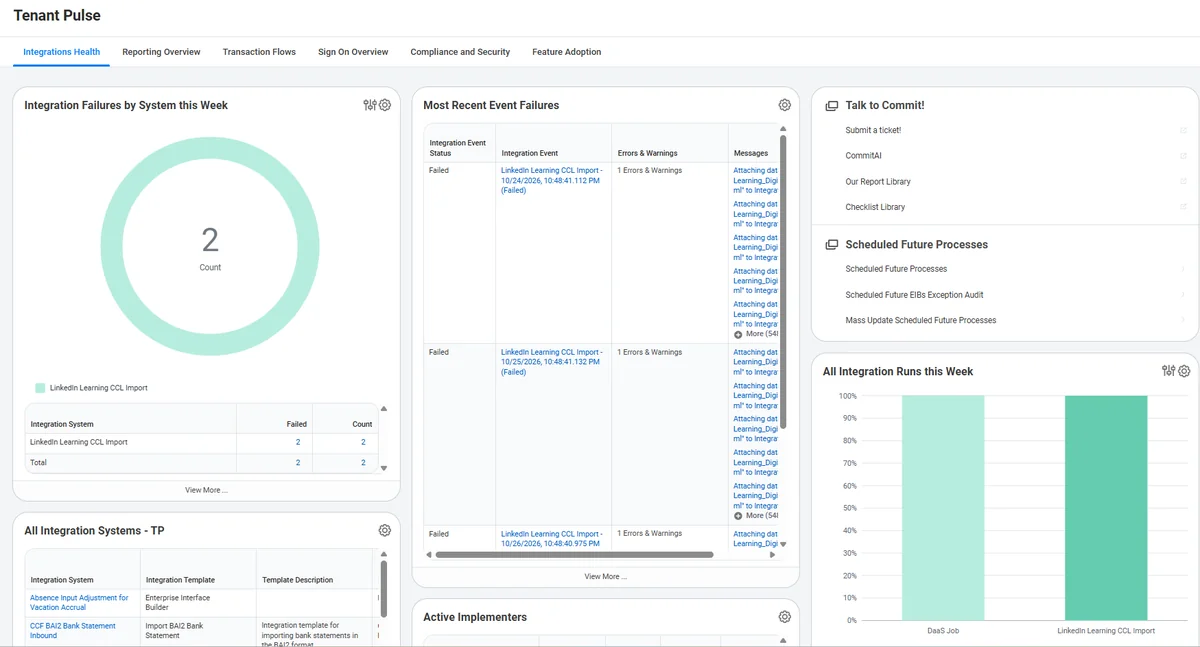
This tab centralizes the key audits you need on a weekly basis in one spot.
Keep track of any failures, get details of those failures, plus an overview of all your runs within one place.
The menu can also deep link you to your future integration runs and help orient you to ensure all future processes are scheduled to run accordingly.
Reporting Overview
What it does
Report catalogs can get cluttered fast, especially if you’ve been live for a while.
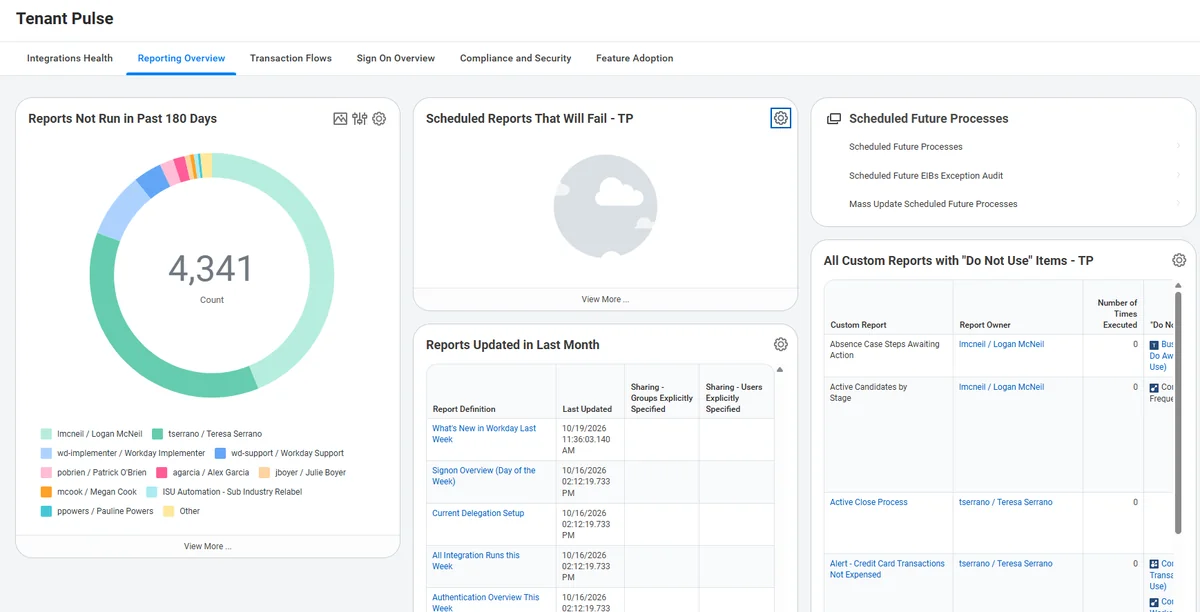
The Reporting Overview tab highlights your least run reports, so you can archive unused reports as needed. You also get deeper insights into reports that may fail in their scheduled runs, or contain deprecated fields that need to be modified.
It also centralizes an audit of any changes to the catalog, so you and your team can track any potential modifications to your key reports in use.
Transaction Flows
What it does
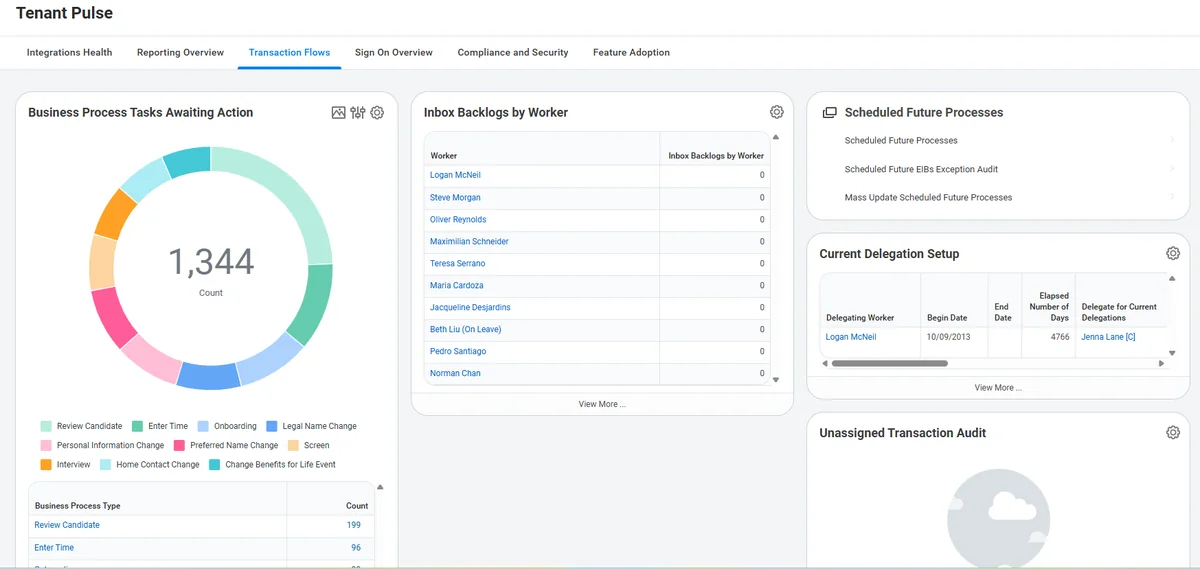
Stagnant business processes can pose all sorts of risk to your organization and may hold up payroll – impacting transactions, employee hires, and more.
Our Transaction Flows tab allows you to regularly audit bottlenecked business processes, workers with excess backlogs, and active delegations.
Sign On Overview
What it does
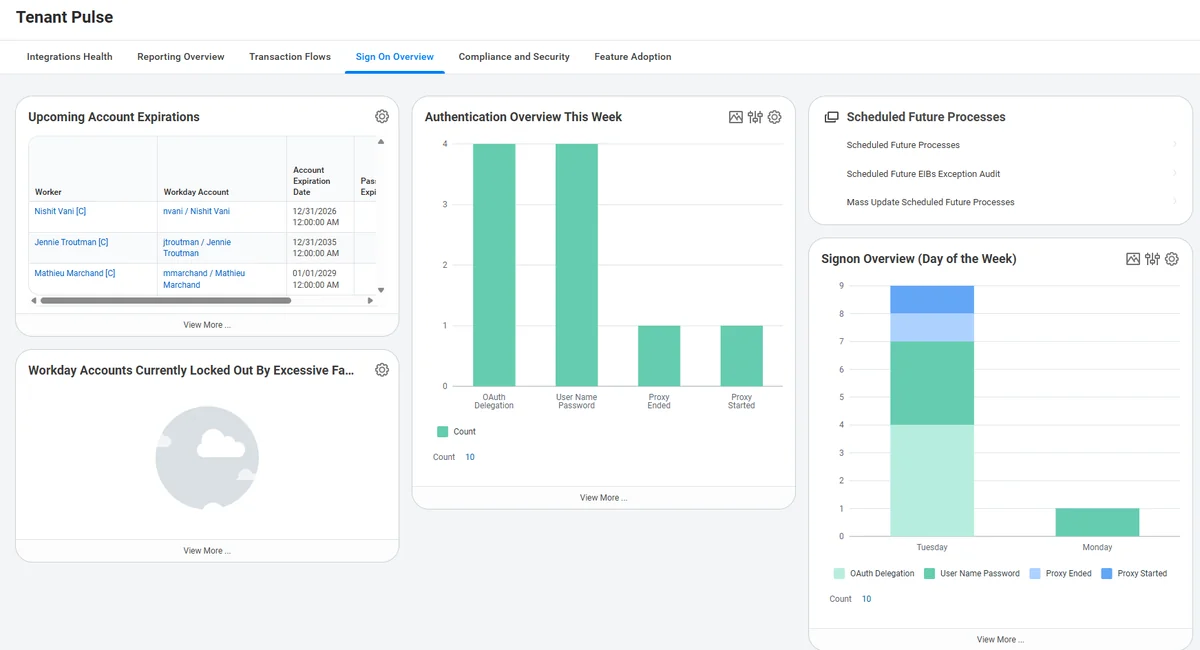
This tab is an IT team’s greatest ally. It provides a hub to audit:
Aggregating these in one place allows you to flag any anomalies quickly, track accounts that are expiring soon, and more.
Compliance and Security
What it does
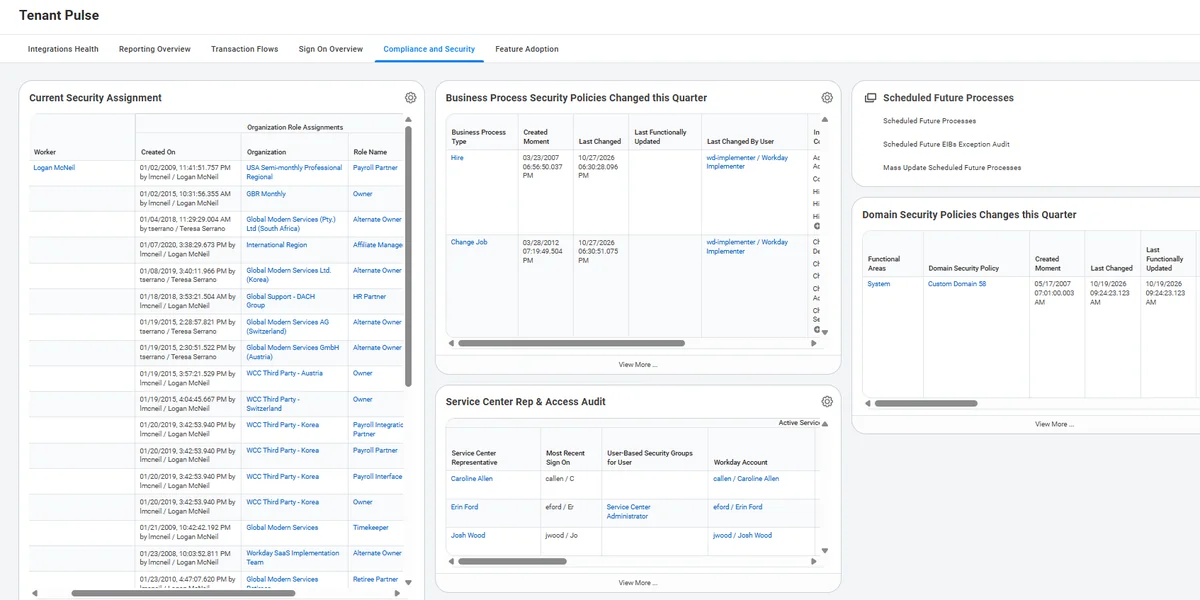
Brings together a summary of all core security changes happening to your tenant over a given quarter.
You not only see a record of all business process and domain policy changes in one place – you can also track worker role assignment and security assignment history.
All security changes – for people, processes, and domains – can be cross-referenced on this tab.
Feature Adoption
What it does
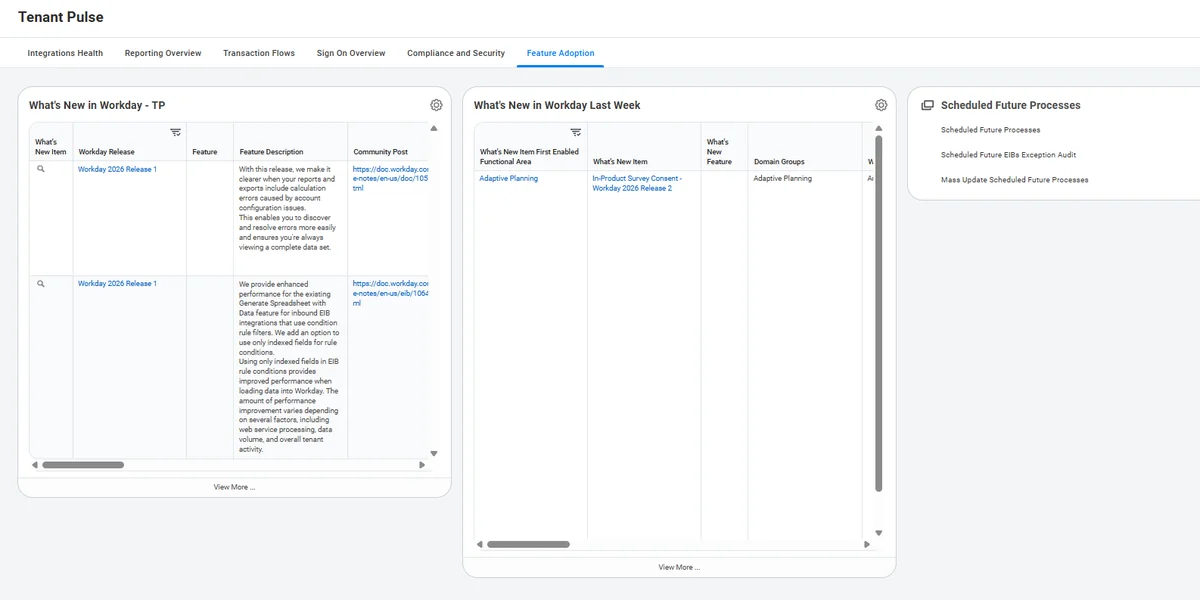
Staying on top of Workday releases is the best way to avoid playing ‘catch up’ in the future.
These reports help your organization keep on top of the annual R1 and R2 releases, and also flags the weekly updates Workday pushes to their tenants. Tracking this helps ensure none of your existing configuration is impacted.
What We Deliver
Tenant Pulse Dashboard
Six-tab dashboard preconfigured and delivered to your Production tenant.
Customized Tabs and Reports
Use our standard template, or tailor tabs and reports to your organization’s key audits.
Knowledge Transfer
Hands-on training so your team can read the dashboard, act on what it shows, and maintain it.
Ongoing Support
Optional follow-on support to keep the dashboard current as your tenant and Workday releases change.
