What Is Workday Drive?
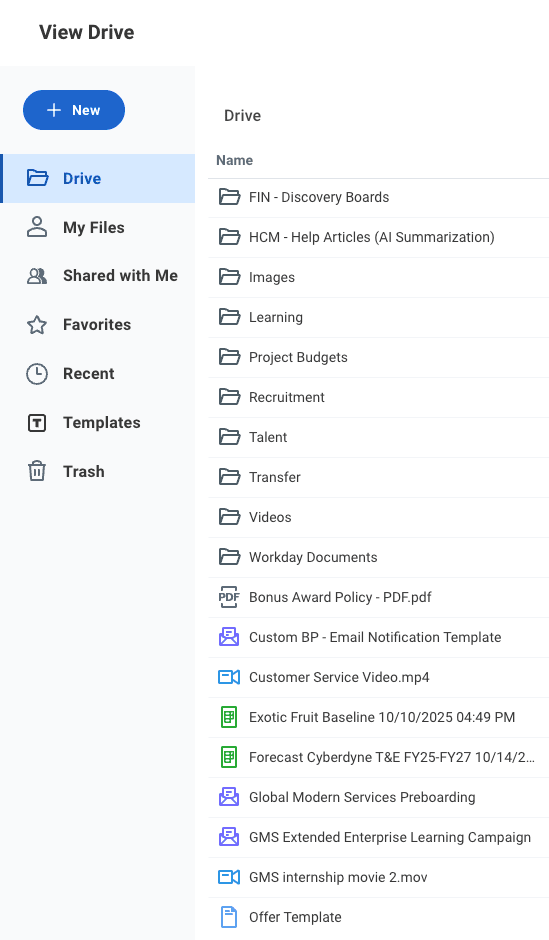
Workday Drive is a file management system embedded directly into the Workday platform. Commonly referred to as Drive, it allows users to upload, store, and share files right within their Workday tenant. In addition to storing user-uploaded files, Drive also serves as home to a host of Workday-native files and features, such as:
- Discovery Boards
- Workday Docs document templates
- Notification Designer Templates
- Slides presentations
- Worksheets workbooks
- Media supporting applications like Workday Learning
File Management and Storage
Workday Drive functions similarly to other cloud-based file storage systems such as Google Drive or Microsoft OneDrive. It allows users to upload, store, and share a broad range of common file formats, such as PDFs, Word Documents, Excel spreadsheets, image files, videos, and more. Folders allow for basic file management and organization.
File Sharing
Workday Drive is designed to enable collaboration while maintaining centralized governance and security. Files and folders can be shared with individual users or entire security groups as needed. Additionally, file owners can choose to share access to their file via direct link.
When sharing, file owners can choose whether to allow Edit or View Only access to their file. Users with access to Workday Drive will not be able to see another user’s file until it has been shared with them, regardless of their underlying permissions in the tenant.
Featured Applications
Beyond document storage, Workday Drive serves as the home for several features which produce Workday-native content. For many users, these functions will be their primary reasons for accessing Drive.
Discovery Boards
Ever been frustrated on how complex Workday report writing can be, and how it is impossible to allow other departments to do their own reporting?
Discovery Boards can be a way to provide easier (and more easily limited) report writing access to your non-Workday teams that may want to do their own reporting. The drag-and-drop interface and fast runtimes make them ideal for users that are not Workday experts. However, it does take some setup time to limit down the available data sources and fields to make the experience as simple as possible for non-technical users.
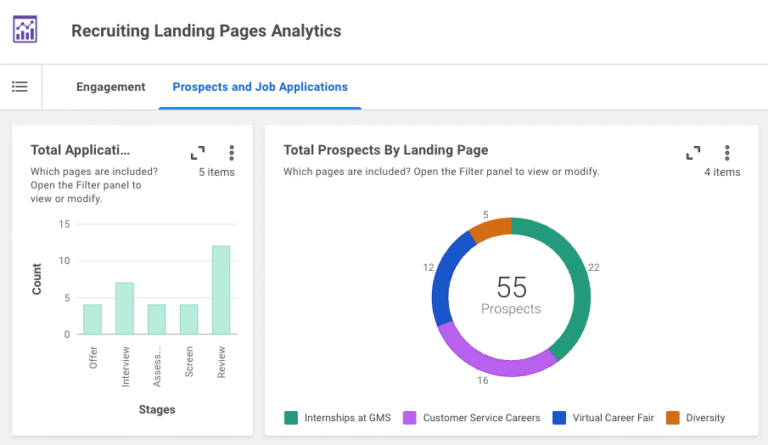
Discovery Boards are created, viewed, and manipulated directly within Workday Drive and can be shared with users and security groups in order to socialize analytic data.
For more about Discovery Boards, see our post on 4 Reasons to Use Workday Discovery Boards.
Workday Docs Templates
Have you been live on Workday for more than two years? You may still be using the older version of Document Templates that is not in Drive to generate documents. Drive Templates could be a big upgrade as they provide formatting freedom that used to only be possible through BIRT. Speaking of BIRT, you may be able to replace those too! Next time you need to update or change a BIRT template, investigate if Drive can be used instead.
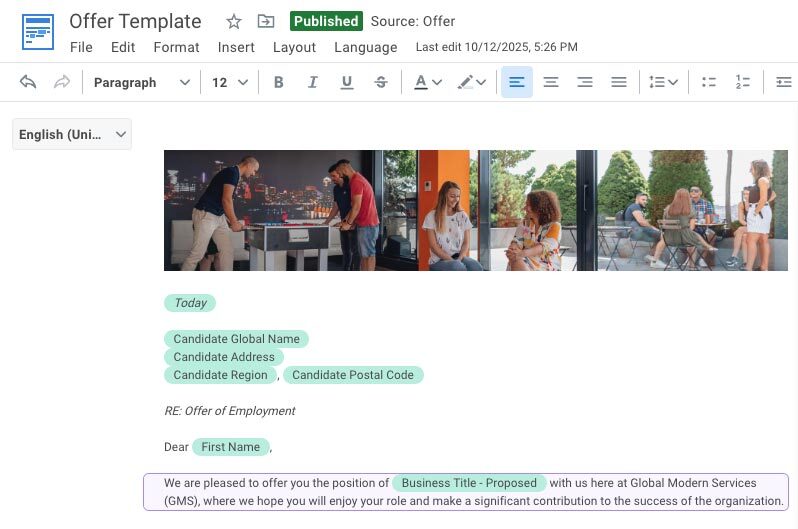
Doc templates are created in Workday Drive via a visual editor (akin to Microsoft Word) which allows for a variety of visual formatting including text formatting, tables, images, and more. If you’ve used BIRT before, you’ll find Docs much more intuitive.
Use cases:
- Comp Statements (Advanced Compensation)
- Offer Letters (Recruiting)
- Employment Verification Letters
- Wage Theft Prevention Notices
Notification Designer Templates
This is a huge step forward for the look and feel of the emails being sent out of your tenant, and if you went live more than a couple of years ago, you may not be using them at all! Use Notification Designer for a cohesive branding experience during high-communication processes like Onboarding, Open Enrollment, and Recruiting.
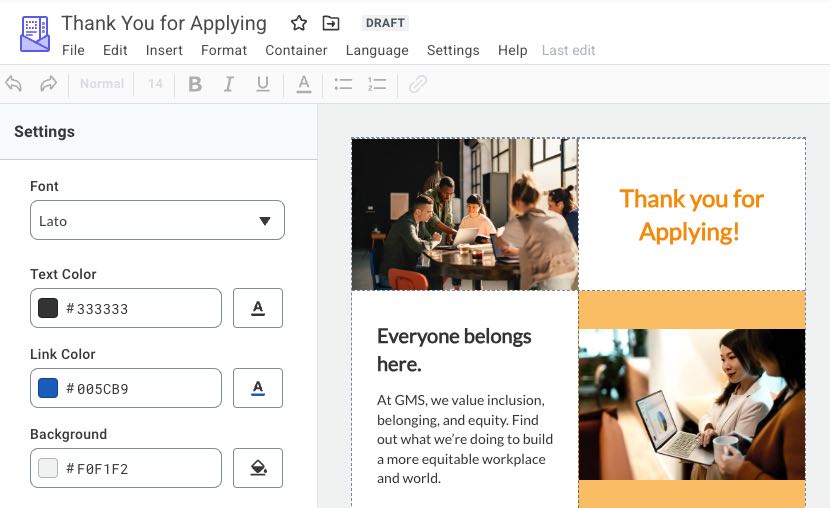
Similar in nature to Workday Docs templates, Notification templates allow for enhanced design and formatting options to make email notifications more eye-catching for recipients. Candidate outreach can become less rigid, more branded and personalized. These templates are created and managed in Workday Drive.
Workday Worksheets Workbooks
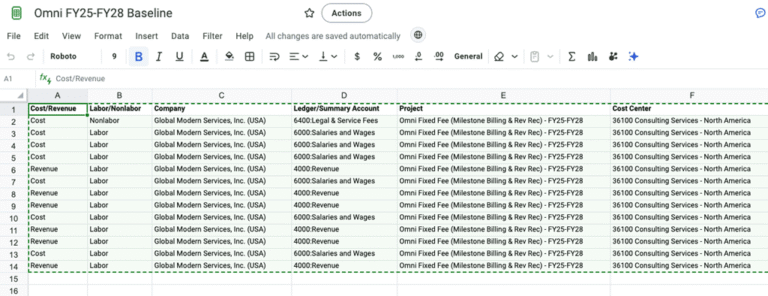
The sky is the limit with worksheets! We have seen clients use these to coordinate Release Testing and Testing Scenarios; to pre-fill their compensation review grids and collaborate on updates; or to mimic the effect of composite reports by pulling in multiple reports and combining the data through formulas. This may be Workday’s most overlooked tool.
Worksheets is a full-featured spreadsheet application available directly within your Workday tenant. In addition to the typical battery of spreadsheet functionality, such as the ability to manipulate tabular data via formulas and pivots, Worksheets allows users to pull in live data directly from Workday reports. These Live Data cell ranges can be configured to automatically update, meaning that your workbooks always have up-to-date information – without requiring users to manually insert fresh data from Workday.
Workday Slides Presentations
Heads up: Workday retired Slides in October 2026. A lesser-used feature within the Workday umbrella, Slides is Workday’s in-tenant presentation software, akin to PowerPoint or Google Slides. Workday Slides allowed users to create and modify presentations directly within Workday while taking advantage of the sharing options to allow for collaboration among multiple team members.
Drive Configuration, Security, and Governance
Access to Workday Drive is governed through dedicated domain security policies, allowing organizations to determine who can use Drive, administer Drive content, access reports, or view shared files. Individual files can be shared with View, Comment, or Edit permissions, giving content owners precise control over access levels.
Self-service access to Workday Drive is typically governed through permissions on the Drive domain, while administrative access is governed by the Drive Administrator domain. Additional domain security polices secure Drive-focused reporting and web services.
Once access permissions have been defined, administrators can select which types of files can be stored in Workday Drive via the Edit Tenant Setup – System task. Additionally, the Configure Group Sharing in Drive task can be used to determine whether or not files in Drive can be shared with security groups, as opposed to only individual users.
File Types and Limits
Workday does not limit the number of files you can upload into Drive. However, there are limits around file sizes for individual files:
- Videos: 20 GB
- SCORM, AICC, .zip files: 4 GB
- Other file types (PDF, DOC, XLSX, etc.): 30 MB per file